IPTV player and media library
All your sources, on every screen
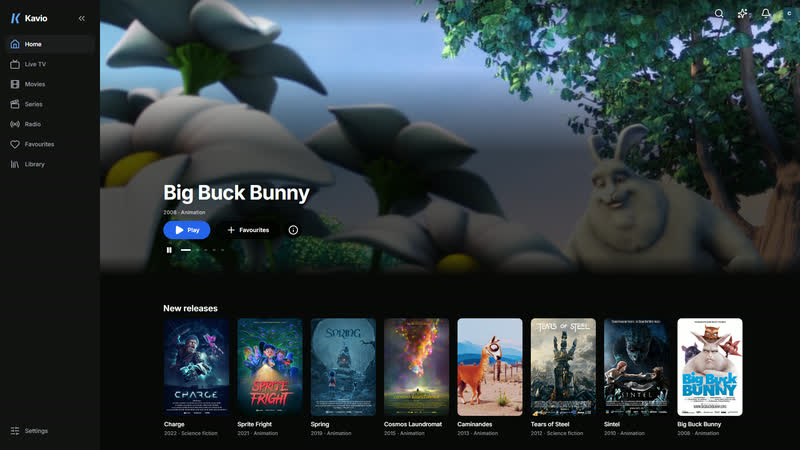
Live channels, films and series: Velcast brings your playlists, IPTV accounts and Plex, Jellyfin and Emby servers together in one library, with a TV guide, profiles and picking up where you left off on any screen.
Velcast provides no content. You add your own sources: an M3U playlist, an Xtream account, a Stalker portal or a media server.

Your sources
Your sources, and only yours
Velcast is a player: it hosts, sells and lists no channels and no films. It plays the sources you add yourself, under your sole responsibility, and files them in one library with one search.
- XtreamIPTV account
- M3UM3U or M3U8 playlist
- StalkerMAC portal
- PlexMedia server
- JellyfinMedia server
- EmbyMedia server
- XMLTVProgramme guide
Velcast provides no channels or content: you add your own sources.
Films and series
Your library, beautifully laid out
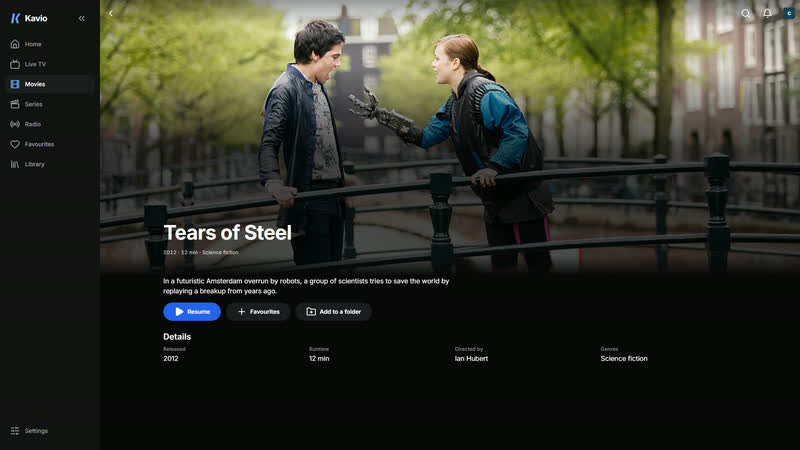
Posters, synopses, seasons and episodes: Velcast files your films and series by category, in rows or a grid, and puts forward something worth watching.
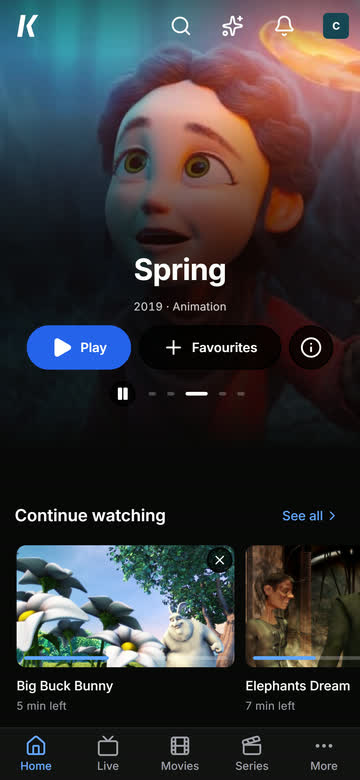
- “Continue watching”: one card per series, at the episode you are on
- Favourites, folders and history
- Search by title, actor, director, genre or year
Player
The right player on every device
On phones and TVs, choose the Velcast player or VLC; on computers, mpv as well. If a video will not play, Velcast offers the other player in one press and remembers it for that source.
- Audio tracks and subtitles, online subtitles from OpenSubtitles with an account
- Subtitle size, colour and background to your taste
- Intros and credits skipped when they are known, picture in picture
“What to watch?”
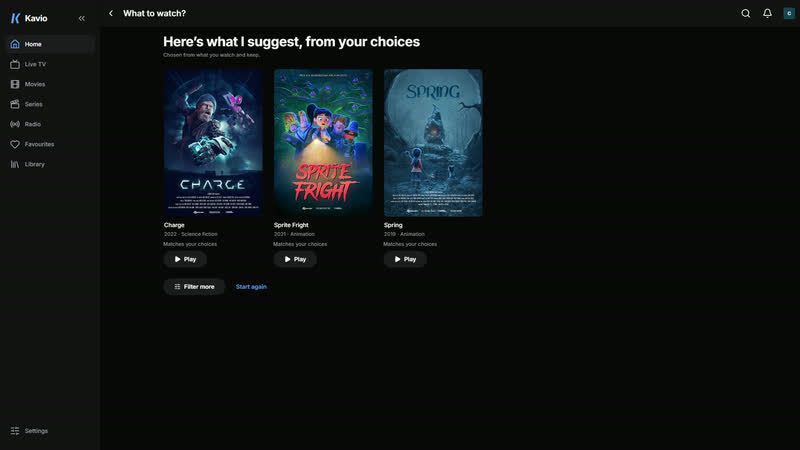
Three ideas, from a few questions
Film or series, genre, length, mood: answer a few questions and Velcast picks three titles from your library, based on what you watch and keep.
- Works without any AI
- With “Your AI”, every pick comes with its reason
Profiles
A profile for everyone, and parental controls
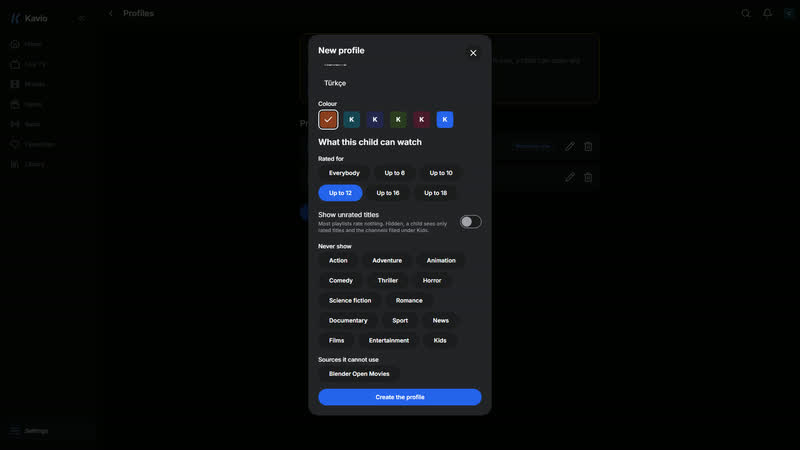
Everyone in the household gets their own profile, language, progress and suggestions. A child profile only sees titles rated for their age.
- Age limit, excluded categories and sources, profile by profile
- A four-digit parental code for adult profiles
And everything that comes with it
Live TV and its guide
A programme grid of up to 14 days, search across the guide, catch-up when your provider offers it, and reminders in the apps.
Several channels at once
Up to four channels at the same time, on the TV as on a phone, a tablet or in a browser, to follow several matches at once.
Matches and your channels
The Sport page puts forward the big matches of twelve football competitions, with their results, and finds the channels in your sources that show them.
Watch together
Start a party and share its link: everyone sees the same picture at the same moment, with a chat alongside. Joining does not even take an account.
From phone to TV
Sign in on the TV by scanning its QR code, send it a film, an episode or a channel, and drive it from your phone, keyboard included. Or send playback to a Chromecast, or to an AirPlay device from an iPhone.
All your screens in sync
Profiles, favourites, progress and settings follow your account from one device to the next. So do your sources, sealed on your device: the server cannot read them.
Offline downloads
Take films and episodes with you on phones, tablets and computers, deleted once watched; on a phone or tablet, over Wi-Fi only if you like. Not in a browser.
A home screen your way
A billboard turning through five titles, the films in cinemas and the week’s trends found in your sources, your rows in the order you choose, categories renamed your way and a filter by audio language.
Your AI, with your key
Plug in your OpenAI, Anthropic, Google Gemini or Mistral key and ask about your library and the guide, under a monthly cap you set.
Trakt, Simkl and MDBList
Your history syncs with Trakt and Simkl, and your watch lists show up on the home screen.
Radio too
The stations from your playlists and accounts, filed by category, with your favourites.
Sound converted for the browser
Dolby, DTS or TrueHD your browser cannot play? With an account, the Velcast server converts the sound as you watch.
Download
Velcast on every screen
The apps are coming to the stores soon. The web version is ready now: nothing to install.
Web
In your browser, nothing to install
Your device
Available
In a recent browser, on a computer, tablet or phone. Offline downloads are in the phone, tablet and computer apps, never in a browser.
Phone and tablet
-
Android
Phones and tablets
Your device
Coming soon
-
iPhone and iPad
iOS and iPadOS
Your device
Coming soon
Television
-
Android TV and Google TV
Televisions and set-top boxes
Your device
Coming soon
-
Fire TV
Fire TV sticks and televisions
Your device
Coming soon
Computer
-
Windows
64-bit PCs
Your device
Coming soon
-
macOS
Intel and Apple silicon Macs
Your device
Coming soon
-
Linux
64-bit AppImage
Your device
Coming soon
Frequently asked questions
Does Velcast provide channels or films?
No. Velcast provides no channels or content: you add your own sources.
Velcast is only a media player and library manager. It hosts and lists no content, and every source is added and set up by you, under your sole responsibility.
Which sources can I add?
An M3U or M3U8 playlist by its link, an Xtream account, a MAC (Stalker) portal, and your Plex, Jellyfin and Emby servers. For the TV guide, Velcast reads your provider’s or an XMLTV address.
Which devices can I use Velcast on?
Android TV, Google TV and Fire TV; Android phones and tablets; iPhone and iPad; Windows, macOS and Linux. The apps are coming soon; the web version already works in a recent browser.
Does my progress follow me from one device to another?
Yes. With a Velcast account, your profiles, favourites, progress and settings sync across your screens.
So do your sources: they are sealed on your device with a key drawn from your password, which never leaves it. The server keeps a copy it cannot read.
Can I watch offline?
Yes, on phones, tablets and computers: download a film or an episode in the app and watch it offline. On a computer, it is saved to a folder you choose and plays with mpv or the Velcast player. The web version, in a browser, does not download.
Do I need AI to use Velcast?
No. “What to watch?” works without AI. “Your AI” is optional: you choose the provider, use your own key and set a spending cap. Velcast hosts no model.
Which languages does the app speak?
French, English, Spanish, Portuguese, German, Dutch, Italian, Turkish and Arabic.
Ready to bring it all together?
Install Velcast on your screens as soon as it is out, or start right away on the web.